7 Best Taplio Alternatives in 2026: Compare LinkedIn Tools
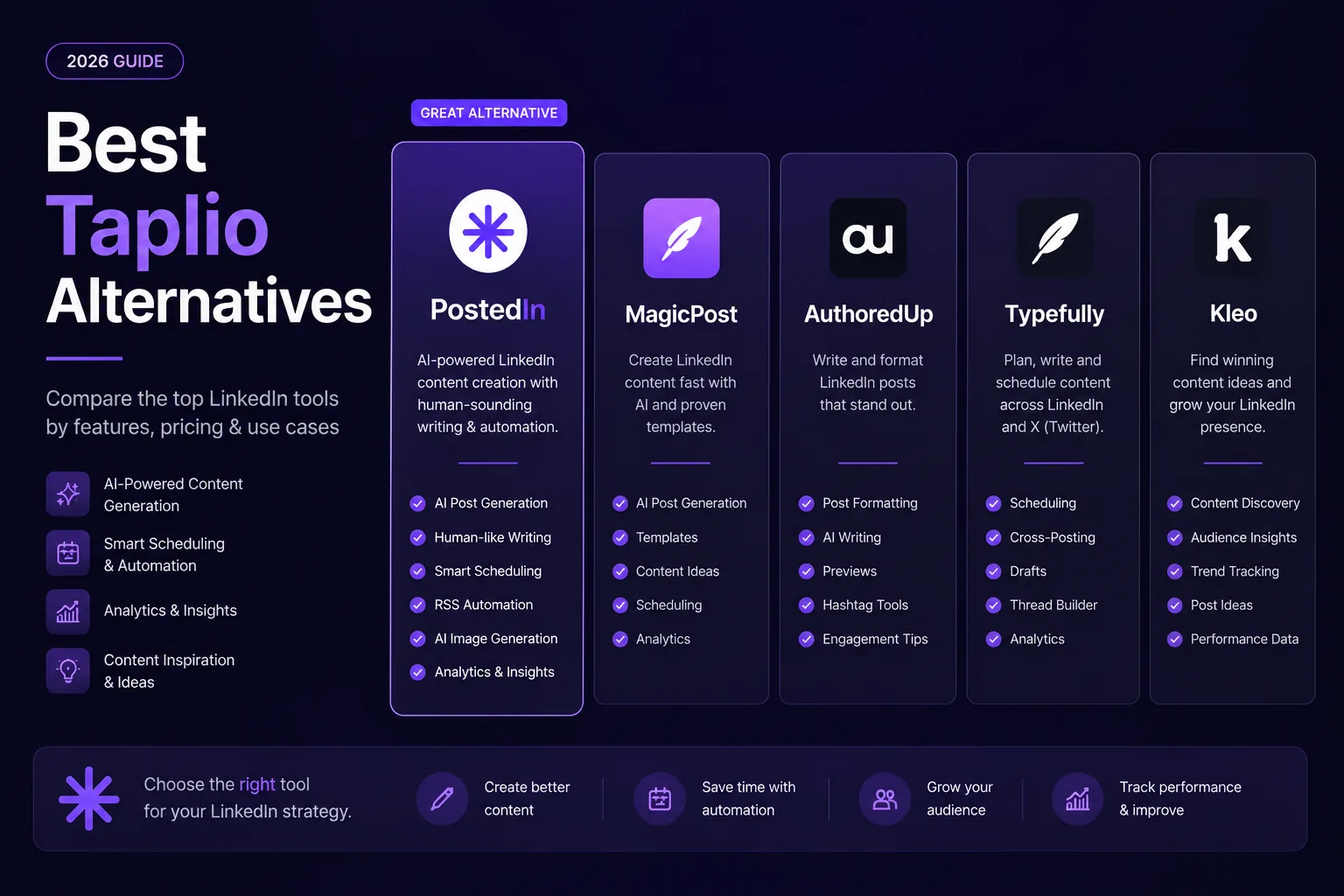
PostedIn publishes this guide and is one of the products listed. We reviewed the companies' public product descriptions on September 25, 2026. The order is not a ranking of quality. We have not run a controlled test of AI output or post reach.
Taplio combines LinkedIn content creation with inspiration, analytics and engagement tools. If you are looking for an alternative, first decide what you want to replace: post generation, editing, scheduling, analytics or a multi-channel workflow. Here are seven tools with different strengths.
Taplio alternatives at a glance
| Tool | Worth a look if you need... | Check before choosing |
|---|---|---|
| PostedIn | AI drafts in your style, industry story ideas and scheduling | Credit limits and publishing access on your plan |
| MagicPost | AI writing, inspiration, analytics and team workflows | Which plans include AI generation |
| AuthoredUp | A detailed editor, previews, post library and analytics | Access to Coauthor, its AI assistant in beta |
| Typefully | Publishing on LinkedIn and other social platforms | Plan, account limits and team features |
| Buffer | Scheduling LinkedIn alongside other channels | Feature differences for profiles and company pages |
| Supergrow | LinkedIn content creation and visual workflows | Publishing options and team plan limits |
| EasyGen | A focused AI content creation workflow for LinkedIn | Current calendar, publishing and analytics details |
There is no universal winner. Below, each product is described from its own public pages; confirm the current plan before buying.
1. PostedIn
PostedIn combines AI drafts based on examples of your writing with ideas from selected RSS sources, carousels and post scheduling. Its product page says it publishes through LinkedIn's official API.
Consider it if the slowest part of your workflow is turning a topic or industry article into an editable draft in your style. Try the free LinkedIn post generator first. PostedIn's plans have different credit and publishing limits, so see the current pricing.
2. MagicPost
MagicPost can generate from a topic, link or file. Its product description includes imported writing styles, context about your audience, offer and story, and an editor for revising the draft. MagicPost also describes content inspiration, analytics, scheduling and plans for teams.
Consider it if you want AI writing alongside inspiration and analytics. Check whether your plan includes AI generation; MagicPost's current offer distinguishes analytics access from AI writing. See MagicPost pricing.
3. AuthoredUp
AuthoredUp focuses on the LinkedIn editor, formatting previews, a library of hooks and endings, drafts and analytics. Its pricing page also lists Coauthor, an AI writing assistant that learns from posts, as a beta feature.
Consider it if you write and edit posts yourself and want more control over formatting, previews and performance review. AuthoredUp describes draft collaboration and team analytics on its Business plan. Confirm Coauthor access before making AI writing central to your decision.
4. Typefully
Typefully supports writing and scheduling across several platforms, including LinkedIn. Its AI writing assistant helps revise drafts, while its calendar supports planning posts across accounts and teams. See the Typefully publishing guide for current LinkedIn formats.
Consider it if you publish to LinkedIn alongside X, Threads, Bluesky or Substack and want to coordinate those channels. Check supported formats and account limits in the plan you choose.
5. Buffer
Buffer schedules posts for LinkedIn profiles and Pages as well as other social channels. It also describes an AI assistant for drafting, brainstorming and repurposing content, plus analytics for posts and Pages.
Consider it if you want to coordinate LinkedIn with other channels, collaborate on drafts and manage a content calendar. Publishing and analytics features can differ for personal profiles and company Pages; check Buffer's LinkedIn feature guide.
6. Supergrow
Supergrow describes itself as a LinkedIn content platform for individuals and teams. Its post generator page describes AI-assisted writing that adapts to a user's style, alongside visual content workflows.
Consider it if you want to compare a LinkedIn-focused generator with visual creation and employee advocacy features. Verify formats, publishing and profile limits in Supergrow's current product.
7. EasyGen
EasyGen focuses on writing LinkedIn posts with AI. Its public materials describe idea generation, image creation, a content calendar and adding a custom call to action. Public product descriptions differ on exactly how posts are published, so verify the current workflow in the app before subscribing.
Consider it if you want to compare a focused AI writing workflow for LinkedIn. Check whether its current plan supports the calendar and publishing steps you need.
How to choose a Taplio alternative
Before buying, list three tasks you want to improve, such as finding topics, editing a draft and publishing to multiple accounts. Then test those tasks in two or three products.
For a writing test, give each the same real topic, audience, firsthand example and takeaway. Compare editing time, unsupported details and whether you would publish the final wording under your name. If analytics or client work matter more, test reports, permissions and approval steps instead.
Check the plan and publishing method separately. A feature may exist in a product without being included in its lowest plan. Some tools publish automatically; others help plan posts or remind you to publish manually.
Frequently asked questions
What is the best alternative to Taplio?
It depends on your workflow. PostedIn, MagicPost and EasyGen focus on AI post creation; AuthoredUp on editing and analytics; Buffer and Typefully on planning content across channels; Supergrow combines LinkedIn content creation with visual workflows. Test products using the same brief.
Is there a free Taplio alternative?
Some tools offer a free trial or standalone generators. Check current limits and trial terms on each official site before signing up.
Does every alternative publish automatically to LinkedIn?
No. Check whether a product auto-publishes, schedules or only helps plan a post, and confirm whether it supports your profile or company Page.
Will switching tools increase my reach?
No tool can guarantee reach. It can help you publish more consistently or edit faster, but results still depend on your topic, audience and the value of each post.
Related articles

AI LinkedIn Post Generator for Founders: 3 Prompts and Examples
Use an AI LinkedIn post generator for founders with three practical prompts for customer conversations, product decisions and less...
MagicPost vs PostedIn: Which LinkedIn AI Tool Is Better in 2026?
Compare MagicPost and PostedIn for LinkedIn AI writing, content ideas, analytics, scheduling and pricing using current product des...
10 ChatGPT Prompts for LinkedIn Posts You Can Actually Use
Ten practical ChatGPT prompts for LinkedIn posts, hooks, editing, and content ideas—plus a worked example and a checklist for accu...