RSS to LinkedIn Automation: Turn Articles Into Useful Posts
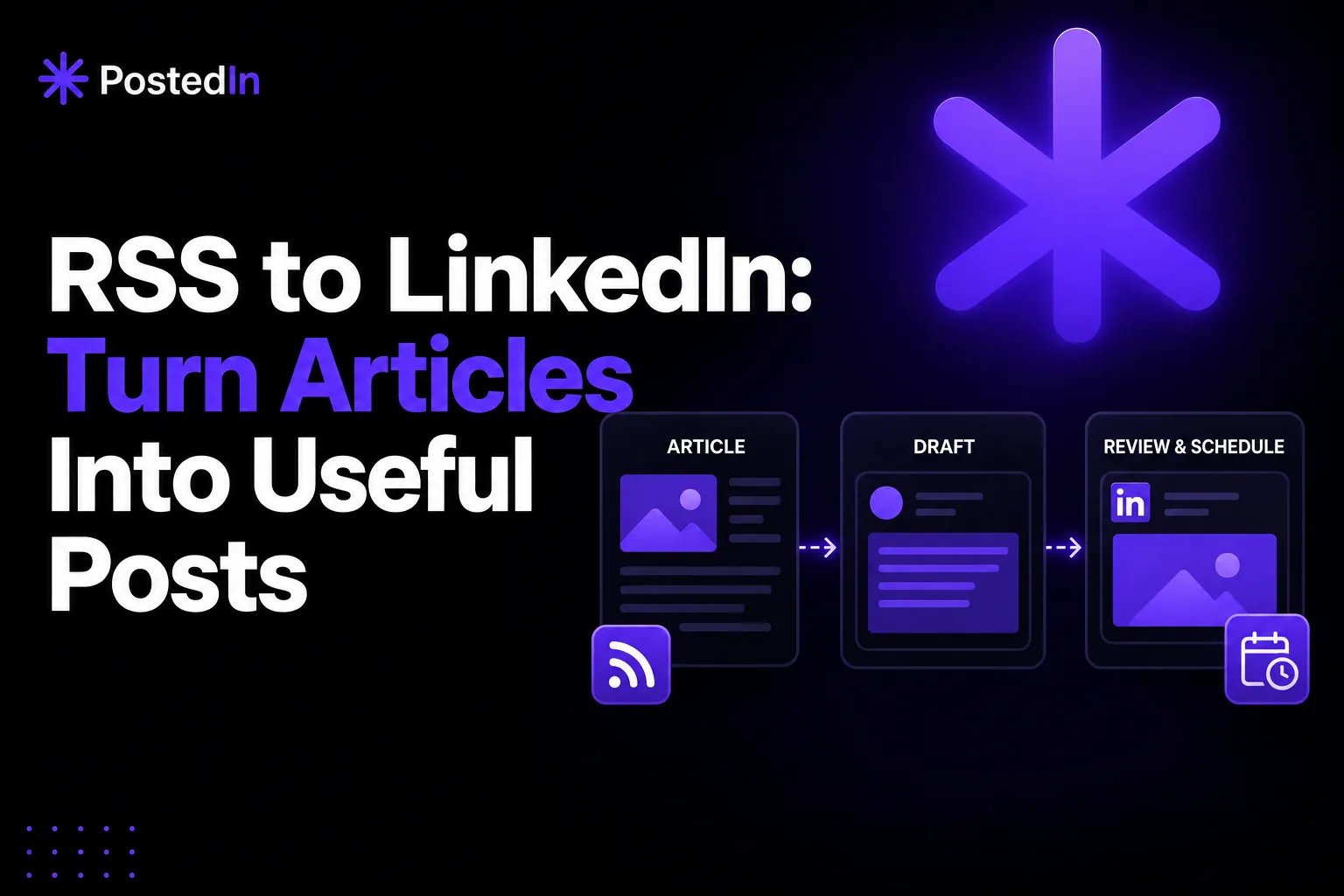
An RSS feed lists a website’s latest articles. It is a useful way to find material for LinkedIn, whether the feed belongs to your own blog or to an industry publication you follow.
RSS can automate finding new articles. Turning an article into a worthwhile LinkedIn post still takes judgment: choose the right idea, add your own perspective, verify the claims, and decide when to publish. This guide shows a workflow you can repeat without sending every new feed item straight to your audience.
What RSS to LinkedIn automation means
A typical workflow has four parts:
- Monitor a feed for new articles.
- Pick an article relevant to your audience.
- Draft a LinkedIn post from one idea in that article.
- Review, attribute, and schedule the post.
Some tools automate more of these steps than others. The review matters because a feed item can be off-topic, out of date, or based on a claim you would not want to repeat.
Choose a source your audience cares about
Start with one or two feeds. If you publish a company blog or newsletter with an RSS feed, your own writing is a natural source. If you follow industry feeds, use them to spot developments you can explain or discuss.
For each source, ask:
- Does it regularly cover questions my readers actually have?
- Can I check its claims and link to the original article?
- Do I have a distinct perspective to add?
- Would I still share this item if it had not appeared in an automated feed?
A high-volume feed is not necessarily a better feed. It can produce more review work and more irrelevant drafts.
Turn one article into one useful point
Do not copy a headline and add “Thoughts?” Pick one part of the article that your audience can use. You might explain a decision, disagree with a recommendation, describe how the issue appears in your work, or ask a genuine question.
A simple post structure:
[Your observation or question about the article]
The article says [brief, attributed summary].
In my work, [your example or reasoned perspective].
The practical takeaway: [one specific point].
Source: [publication and link].
If the source is your own article, you can point readers to it for the full explanation. If it is someone else's article, attribute it and avoid presenting their findings as your own.
Before and after: an illustrative example
Imagine your company wrote an article about simplifying customer onboarding. The article explains three confusing steps that new users reported. You have permission to discuss one of them, but you have not measured any effect yet.
Weak repost:
New blog post: three ways to improve onboarding. Read more: [link]
LinkedIn post with a clear point:
We found a question new users kept asking: “Where do I start?”
The first screen had several actions that looked equally important. We changed the wording of the starting action and made it easier to spot.
We have not measured the effect yet. The lesson so far is simpler: before adding another onboarding step, watch where someone hesitates.
We wrote about the other two steps here: [link]
The second version gives the reader an observation and clearly states the limit of the evidence. Replace this scenario with your own real details before posting.
A prompt for drafting from an RSS article
I want to write a LinkedIn post for [audience] based on this article: [title, source, link, and my notes]. The one idea I want to discuss is [idea]. My own perspective is [observation or experience]. Draft a concise post with a clear opening, a concrete explanation, and a takeaway. Attribute the source. Do not invent data, quotes, client stories, or results. Flag any claim I should verify before publishing.
Treat the result as a draft. Read the source, verify important facts, and rewrite sentences that do not sound like you. For more help with prompting, see our ChatGPT prompts for LinkedIn posts.
Schedule selectively
Review a few feed items each week and choose only the ones worth discussing. You can add approved drafts to your LinkedIn content plan alongside original experiences, answers to customer questions, and timely updates.
Avoid scheduling a reaction to news so far ahead that the context may change. Recheck links, dates, and claims before a scheduled post goes live.
Where PostedIn fits
PostedIn can help you find ideas from feeds, create a LinkedIn draft, and plan posts. Use the feed as inspiration, then add your own view and review the draft before publishing. Once you have a topic and audience, test it in the free LinkedIn post generator. For feed-based inspiration and scheduling, continue in PostedIn.
FAQ
Can I automatically publish every RSS item to LinkedIn?
Some workflows allow this, but it can send irrelevant or unverified material to your audience. Reviewing and selecting items gives you more control over the message.
Can I repurpose someone else's article?
You can discuss an article and link to it, but attribute the original source and add your own analysis. Do not copy large sections or claim the author's work as yours.
What if I do not have my own blog?
Follow a small number of reliable industry feeds and use them to identify questions worth answering. Your LinkedIn post should be your interpretation, not a rewritten summary with a link.
Related articles
AI LinkedIn Post Generator for Founders: 3 Prompts and Examples
Use an AI LinkedIn post generator for founders with three practical prompts for customer conversations, product decisions and less...
7 Best Taplio Alternatives in 2026: Compare LinkedIn Tools
Looking for a Taplio alternative? Compare seven LinkedIn tools for AI writing, editing, analytics and scheduling, and find a fit f...
MagicPost vs PostedIn: Which LinkedIn AI Tool Is Better in 2026?
Compare MagicPost and PostedIn for LinkedIn AI writing, content ideas, analytics, scheduling and pricing using current product des...