RSS-to-LinkedIn Automation: How to Keep Posting Without Running Out of Content
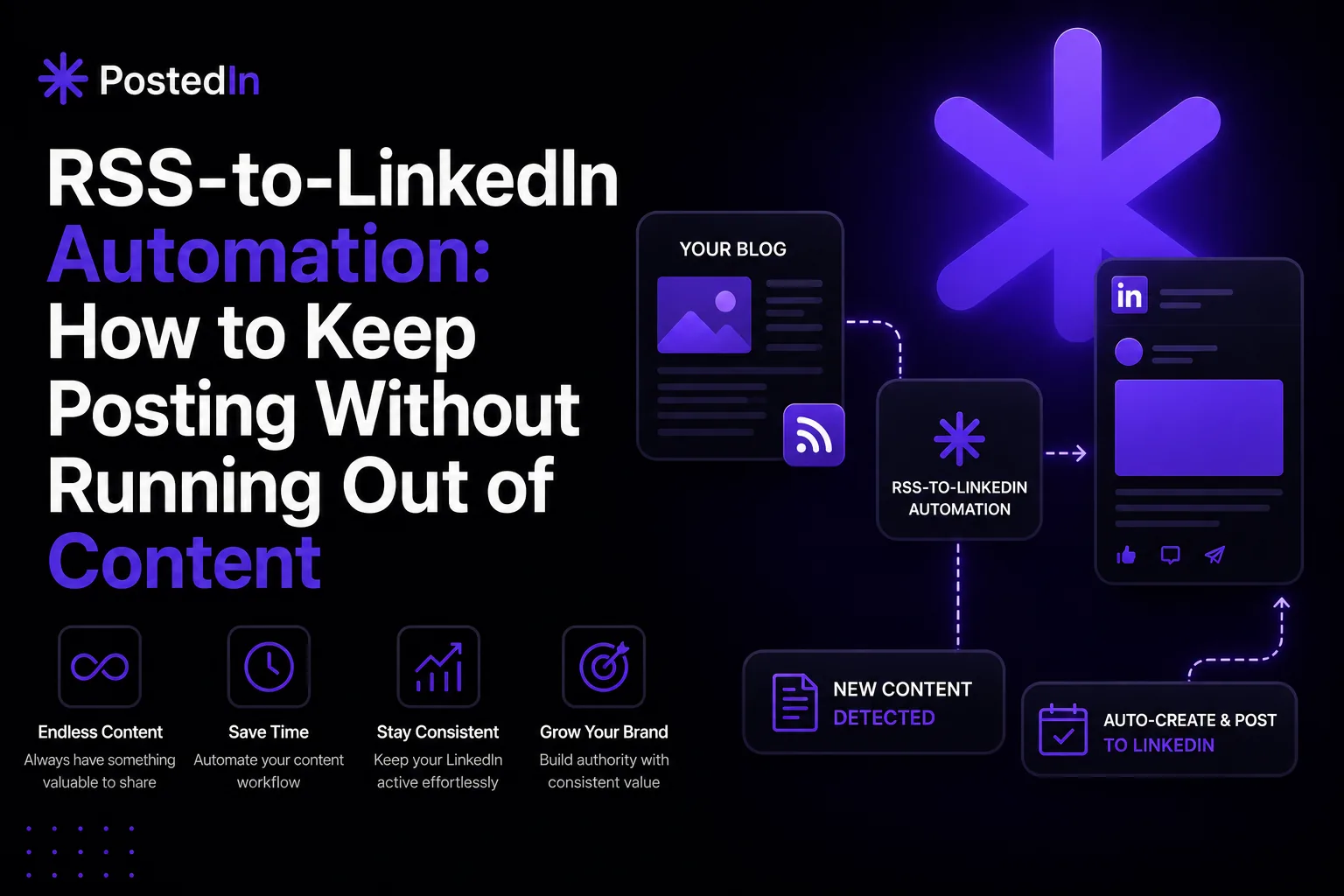
How to Turn Your Blog Into LinkedIn Posts Automatically (RSS-to-LinkedIn Guide)
If you already write blog posts, newsletters, or articles, you're sitting on a content goldmine that most people never fully use on LinkedIn. Every piece of long-form content you publish contains ideas, insights, and stories that could become several LinkedIn posts — but manually rewriting each one takes time most people don't have. RSS-to-LinkedIn automation solves this by connecting your blog's RSS feed directly to your LinkedIn posting workflow. Instead of starting from a blank page every time, your existing content becomes the raw material for your LinkedIn presence — automatically. This guide explains how RSS-to-LinkedIn automation works, when it makes sense, and how to set it up without ending up with repetitive, robotic-sounding posts.
What Is RSS-to-LinkedIn Automation?
RSS (Really Simple Syndication) is a format that websites use to publish a feed of their latest content — most blogs, news sites, and many newsletter platforms generate an RSS feed automatically, even if you've never thought about it. RSS-to-LinkedIn automation works by monitoring your blog's RSS feed for new posts. When a new article is published, the automation picks it up and uses it as the basis for a LinkedIn post — either by drafting one automatically or by generating a starting point you can review and refine before publishing. In practice, this means: you publish a blog post like you normally would, and shortly after, a LinkedIn post based on that article is ready to go — without you having to open a blank LinkedIn composer and start from scratch.
Why This Matters for Consistency
One of the biggest challenges with LinkedIn content isn't writing quality — it's consistency. Most people who fall off their posting schedule don't do so because they ran out of ideas; they do so because the first step (deciding what to write about and getting started) feels like too much friction on a busy day. RSS-to-LinkedIn automation removes that first step entirely. Your blog content already represents ideas you've thought through and considered worth publishing — repurposing it for LinkedIn means you're not generating new ideas from scratch, just translating ones you've already developed into a different format. This is especially valuable if:
- You write a regular newsletter or blog but rarely post on LinkedIn
- You publish content on a company blog and want to extend its reach without extra writing work
- You're a founder, consultant, or marketer whose blog already reflects your expertise, and you want LinkedIn to reflect the same positioning
What Makes a Good Source for RSS-to-LinkedIn Repurposing
Not every blog post translates equally well into a LinkedIn post. A few things make source content easier to repurpose effectively:
- A clear single takeaway. Posts built around one core idea (rather than a broad overview of many topics) translate more naturally into a single LinkedIn post with a focused hook.
- A specific example, result, or story. LinkedIn posts that reference something concrete — a number, a case, a before/after — tend to perform better than abstract summaries.
- An opinion or point of view. If your blog post takes a position on something, that position can become the angle for your LinkedIn post, which tends to drive more engagement than a neutral recap.
If your blog content tends to be long, multi-topic, or reference-heavy, you may get better results by repurposing a section of an article rather than the whole thing — some automation tools allow you to focus on specific parts of a feed item rather than the entire body.
Avoiding the "Robotic Repost" Problem
The most common concern with automation is that it produces content that feels copy-pasted or generic — a summary of the blog post with a link at the end, which rarely performs well and can come across as low-effort. A few principles help avoid this:
- Treat the blog post as a source, not a script. The goal isn't to compress the article into LinkedIn's character limit — it's to extract one idea, story, or insight from it and present that idea in a format suited to LinkedIn (shorter, more direct, with a strong hook).
- Add a personal framing. Even when a post is based on existing content, a sentence or two of personal context — why you wrote about this, what prompted it, or what reaction you're hoping to get — makes it feel native to LinkedIn rather than imported from somewhere else.
- Review before publishing, especially at first. Automation works best as a head start, not a final step. Reviewing and lightly editing automated drafts — especially in your first few weeks of using a feed-based workflow — helps you calibrate tone and catch anything that reads too much like a summary.
- Don't automate every single article. If your blog covers a wide range of topics, you may want to selectively choose which posts get turned into LinkedIn content, rather than auto-posting everything in your feed.
Setting Up RSS-to-LinkedIn Automation: The General Process
While the exact steps vary depending on the tool you use, the general workflow looks like this:
- Choose your source. You can connect your own blog or newsletter's RSS feed (most platforms like WordPress, Ghost, and Substack generate one automatically), or pick from a library of pre-curated industry and news feeds if you don't have your own content to repurpose — useful for staying active with relevant commentary even on days you haven't published anything yourself.
- Set your repurposing preferences. This typically includes choosing the tone, format, and length for generated LinkedIn posts, and whether posts should be drafted for review or queued directly into your content calendar.
- Review your first few automated drafts closely. Use this period to refine your settings — adjusting tone, length, or which parts of the source content get emphasized — until the output consistently sounds like you.
- Decide on your publishing flow. Some people prefer drafts that land in a queue for manual review and scheduling; others, once confident in the output quality, prefer posts to be scheduled automatically based on their content calendar.
Where RSS Automation Fits Into a Broader LinkedIn Strategy
RSS-to-LinkedIn automation works best as one input into your content strategy — not the entire strategy. A healthy mix of content typically includes:
- Repurposed content from your blog or newsletter (via RSS automation)
- Original LinkedIn-only posts — quick thoughts, questions, or observations that wouldn't make sense as a full blog post
- Reactive content — responses to industry news, conversations, or things happening in real time
If you're using a content calendar to plan your LinkedIn posting, RSS-repurposed content can fill some of your scheduled slots automatically, freeing up your planning time to focus on original posts, engagement-driven content, and timely reactions.
Getting Started
If you publish blog content regularly but your LinkedIn presence doesn't reflect it, RSS-to-LinkedIn automation is one of the highest-leverage changes you can make — it turns work you're already doing into LinkedIn content, rather than adding a new task to your plate. And if you don't have your own content pipeline, ready-made industry and news feeds can fill the same role, keeping your posting consistent even on quieter weeks. PostedIn includes RSS-to-LinkedIn automation as part of its broader LinkedIn content toolkit — with both the option to connect your own feed and access to a library of pre-built news and industry feeds — alongside AI-powered post generation, scheduling, and a content calendar, so repurposed content can sit alongside original posts in the same planning and publishing workflow.
Final Thoughts
Your blog content represents ideas you've already developed, refined, and considered worth sharing — RSS-to-LinkedIn automation simply extends the life of that work into a second format. Used thoughtfully — with attention to framing, tone, and selective publishing — it can turn an inconsistent LinkedIn presence into a steady stream of content, without requiring you to write everything twice.
Powiązane artykuły
Jak tworzyć miesiąc treści na LinkedIn w jeden dzień?
Brakuje Ci czasu na regularne publikowanie na LinkedIn? Zobacz, jak zaplanować i przygotować miesiąc treści w jeden dzień dzięki c...
30 pomysłów na posty LinkedIn dla founderów, marketerów i rekruterów
Nie wiesz, o czym pisać na LinkedIn? Mamy 30 gotowych pomysłów z przykładowymi hookami — dla founderów, marketerów i rekruterów. Z...

Jak zamienić jeden artykuł blogowy w 10 postów LinkedIn?
Masz blog firmowy, ale brakuje Ci czasu na regularne publikowanie na LinkedIn? Zobacz, jak zamienić jeden artykuł blogowy w 10 róż...